To make coloring pages with ChatGPT, open a chat, ask for "a black-and-white coloring page" with thick outlines, a white background and no shading, pick a portrait aspect ratio, then edit the result in plain English and save it. ChatGPT Images works on every plan, including Free [1], so it's a usable ChatGPT coloring page generator for one-off pages.
Printing is where it gets harder. Below are the 6 steps, a prompt to paste, what the free plan allows, and the pixel math every page has to pass before it goes into an Amazon KDP book.
TL;DR:
- ChatGPT Images is available on all ChatGPT tiers, and you can set any aspect ratio with the picker or in your prompt [1].
- Free accounts can create images, but image generation has its own usage limit, separate from chat [2]. OpenAI doesn't publish the number.
- KDP asks for a "minimum resolution of 300 DPI" [4]. An 8.5 x 11 page at 300 DPI is 2,550 x 3,300 px, so check the pixel size of every file you download.
- KDP counts AI-made "cover and interior images and artwork" as AI-generated, and you disclose it when you publish [5].
Table of contents
- How do you make a coloring page with ChatGPT?
- What prompt gets clean line art from ChatGPT?
- Is ChatGPT free for making coloring pages?
- Can ChatGPT make a whole coloring book?
- Are ChatGPT coloring pages print-ready for Amazon KDP?
- When is a dedicated coloring book generator the better tool?
How do you make a coloring page with ChatGPT?
Making a coloring page with ChatGPT takes 6 steps: open the image tool, describe one subject as black line art, set the page shape, wait for the render, fix it with a follow-up message, and save the file. OpenAI notes a render "may take a few minutes, depending on the complexity of your request", and you can keep chatting while it works [1].
- Start the request. Type it into any chat, or select More, then Images, and enter your prompt there [1].
- Describe one subject as line art. Name the subject, the style and the rules: black outlines, white background, no shading, no color. The next section has a prompt to copy.
- Set the page shape. Use the aspect ratio picker, or write the ratio into the prompt [1]. For an 8.5 x 11 page, ask for portrait 8.5:11. For an 8.5 x 8.5 book, ask for square.
- Wait for the image. Leave the tab open or carry on in the chat.
- Fix what's wrong. Describe the change in the conversation, or select part of the image with the selection tool and describe the edit for that area [1]. OpenAI warns that highlights "are not always precise", so an edit can spill past the area you picked.
- Save it. Open the image and select Save to download it to your device [1]. Every image also stays under Images in the sidebar.
What prompt gets clean line art from ChatGPT?
The prompt that works names the subject once and then removes everything a coloring page can't have: shading, grey tones, color and a busy background. ChatGPT reads plain English, so you don't need special syntax. You need the negatives spelled out, because image models lean toward shaded, colored illustrations unless told otherwise.
Paste this and swap in your subject:
Create a black-and-white coloring book page. Subject: a sleeping fox curled up in a forest clearing. Style: bold and easy, thick black outlines, large open shapes to color. Pure white background. No shading, no grey tones, no gradients, no color, no border or frame. Portrait, 8.5:11.
When the first image comes back, fix it with short follow-ups instead of starting over:
- "Make the outlines thicker." Bold lines survive printing and markers.
- "Remove the grey shading inside the fur." Grey patches print as smudges.
- "Close every gap in the outlines." Open shapes leak when someone colors them.
- "Remove the border around the page." Use this when a render comes back framed, which wastes printable space.
Words like "beautiful" or "high quality" add nothing. "Sketch" and "drawing of" pull the output toward pencil texture, the opposite of clean line art. The best AI prompts for KDP coloring books breaks the prompt into its 6 parts, and the free coloring page prompt generator gives you ready-made subjects by niche to paste into ChatGPT.
Is ChatGPT free for making coloring pages?
Yes, with a cap you can't see in advance. OpenAI lists "Create images in ChatGPT" among the Free plan's features [2], and says file uploads, image generation and other tools "have separate usage limits" from everyday chat [2]. ChatGPT tells you when you hit one, and you wait until later to use the tool again [2].
What OpenAI doesn't publish is the number. When we read its help pages on 7 November 2026, neither the Free tier FAQ nor the Images article stated how many images a free account can make, only that the limit exists and that ChatGPT Plus has "higher rate limits" [2]. Treat any figure you see quoted elsewhere as someone's observation, not a rule.
For a handful of pages for your kids or a classroom, the free limit is rarely the problem. For a 40-page book, plan on the cap stopping you at least once, and on upgrading or spreading the work over several sessions.
Can ChatGPT make a whole coloring book?
ChatGPT can make every page of a coloring book, one image at a time, but it doesn't assemble the book. You get separate image files. Keeping 40 pages in one style, sizing them, adding blank backs and building the interior PDF are all jobs you do afterwards, in other tools.
Style drift is the first thing you'll notice. Page 1 and page 30 come from separate generations, so line weight and detail level wander. Three habits keep it tighter:
- Stay in one chat for the whole book, so earlier pages remain in the conversation.
- Repeat the full style block in every prompt, word for word. Change only the subject line.
- Upload your best page and ask for the next subject "in exactly the same style as this image". ChatGPT accepts an uploaded image as the starting point for an edit [1].
It still won't be perfectly consistent, and it isn't fast. If one image can take a few minutes [1], 40 of them plus the redos runs to hours, before any print preparation. The step-by-step guide to making a coloring book with AI covers the clean-up and assembly stages in detail.
Are ChatGPT coloring pages print-ready for Amazon KDP?
Not straight out of the chat. KDP asks for images with a "minimum resolution of 300 DPI" [4], a book of at least 24 pages [4], and 0.125 inches of bleed past the top, bottom and outer edges if the art runs to the edge [4]. Check every downloaded image against all three.
Start with pixels, because DPI is pixels divided by inches:
| Page | Pixels needed at 300 DPI |
|---|---|
| 8.5 x 11 in, no bleed | 2,550 x 3,300 px |
| 8.5 x 8.5 in, no bleed | 2,550 x 2,550 px |
| 8 x 10 in, no bleed | 2,400 x 3,000 px |
OpenAI doesn't publish the size ChatGPT saves images at, so open the file and check its dimensions. For comparison, OpenAI's developer docs list 1,024 x 1,536 px as the standard portrait size for its image models [3]. Stretched across an 8.5 inch page, 1,024 px works out to about 120 DPI, well under KDP's floor. Even the API's custom sizes top out at 8,294,400 pixels in total [3], fewer than the 8,415,000 a full 8.5 x 11 page needs at 300 DPI.
A file under those sizes needs upscaling, then a clean-up pass to make the lines pure black on pure white again, because upscalers soften edges into grey. After that come the blank back pages and the interior PDF.
There's also a disclosure step. KDP defines AI-generated content as images "created by an AI-based tool", says this includes "cover and interior images and artwork", and asks you to declare it when you publish [5]. The KDP AI disclosure guide for coloring books walks through the checkbox and what changes after you tick it.
When is a dedicated coloring book generator the better tool?
Use ChatGPT for a few pages or for trying out an idea. Use a coloring book generator when the goal is a finished KDP interior. The difference is everything between the chat and the upload. Matching 40 pages, hitting 300 DPI at trim size, building the PDF.
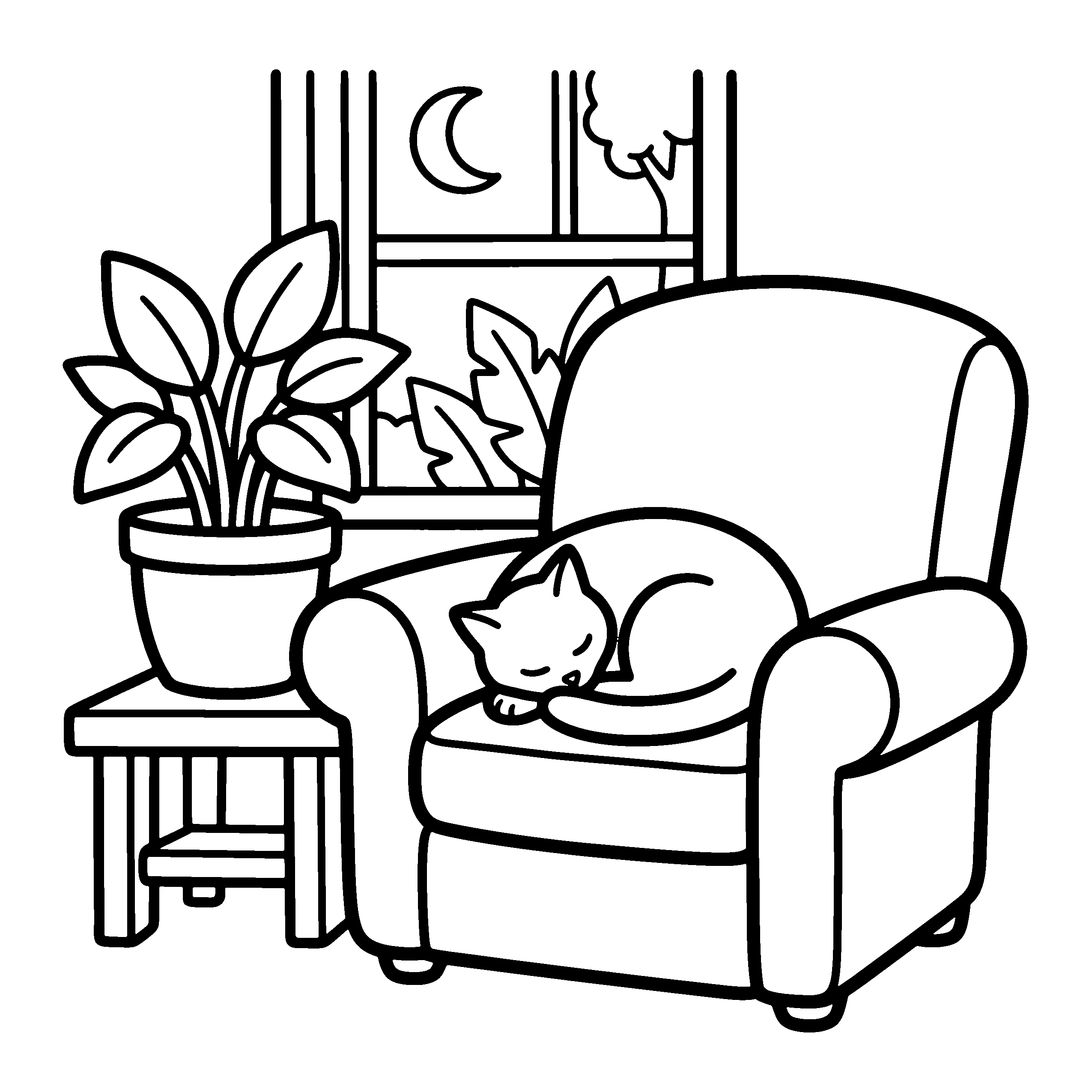
That page came out of our AI coloring book generator for KDP at 2,550 x 2,550 px, which is exactly 8.5 x 8.5 inches at 300 DPI. You get one style across the whole batch, and an interior PDF with bleed and blank backs.
If you're still weighing the two, the BookIllustrationAI vs ChatGPT comparison sets them side by side, feature by feature. If you stay with ChatGPT, the 9 prompt mistakes that break KDP coloring books are the fastest way to cut your redo count.
References
- Images in ChatGPT- OpenAI Help Center
- ChatGPT Free Tier FAQ- OpenAI Help Center
- Image generation- OpenAI API documentation
- Paperback Submission Guidelines- Amazon KDP Help
- Content Guidelines (AI-Generated Content)- Amazon KDP Help
Ready to publish a KDP coloring book?
BookIllustrationAI generates KDP-ready coloring pages at 300 DPI in bold and easy or detailed line-art styles, formatted for any trim size. Go from niche to a complete interior PDF without design tools.
Related Posts
How to make a coloring book with AI for Amazon KDP [2026]
Make a coloring book with AI that passes KDP review: prompts for clean line art, the 7 fixes AI pages need, 300 DPI at trim size, and the AI disclosure.
How to make a coloring book on Canva for Amazon KDP [2026]
Make a KDP coloring book in Canva: the page size for your trim, blank backs, and the one PDF Print checkbox that gets your file rejected. Step by step.
Coloring book cover design: front and back cover layouts and a legibility test
Amazon warns that white covers can disappear against its own page background. See the 6 coloring book cover layouts and the test that catches it.